All blog
Amazon Compliance
6 Min read

#Prevention
#Verification
#Appeals
Amazon Sellers or Listing Account Deactivated? A Diagnostic-First Recovery Guide
Amazon seller account or listing deactivated? Diagnose first, classify enforcement, capture evidence, and submit once cleanly to avoid denial loops and silent presence loss
Table of Contents
TL;DR
When an Amazon listing or seller account is deactivated, the worst move is acting fast without diagnosing the enforcement type. “Deactivated” is a symptom, not the cause. Sellers lose weeks by submitting the wrong appeal, wrong documents, or generic templates that don’t match Amazon’s policy logic.
The correct sequence is: stabilize → classify the enforcement → capture evidence → map symptom to policy and proof → submit once, cleanly. Reactive fixes create contradictions and denial loops. Operating with diagnosis, evidence discipline, and prevention controls is what restores listings faster and prevents repeat shutdowns.
Amazon sellers know the panic moment: you open Seller Central and see “Listing deactivated”, “Blocked”, “Suppressed”, or “Your account is at risk of deactivation.” In minutes, your brain starts doing the math—ads paused, rank slipping, inventory still moving to FBA, and revenue leaking while you wait for Amazon to respond.
If you’re here, you’re not looking for generic advice. You’re looking for the first 60 minutes playbook Amazon sellers need to avoid making the situation worse:
Is this account-level or ASIN-level for my Amazon seller account?
Is Amazon asking for verification, compliance documents, or a Plan of Action?
What changed that triggered this—listing content, pricing, complaints, invoices, or a bot sweep?
What can Amazon sellers do right now that won’t lock them into the wrong narrative?
Here’s the uncomfortable truth: the fastest action is often the most dangerous action. Amazon doesn’t reward urgency. It rewards alignment: the right enforcement category, the right evidence, the right corrective actions, and prevention controls that match the real failure mechanism.
To make this practical, we’ll follow one seller all the way through.
Maya is an Amazon seller running a $2.4M/year supplements brand with 18 core ASINs. One morning, her hero ASIN flips to Deactivated after a vague policy flag. Ads stop serving. Organic rank starts sliding. Her 3PL is still shipping inventory to FBA. And her team’s instinct—like most seller amazon teams—is to “just submit an appeal.”
If you’re here, you’re already selling—and you need a recovery protocol for deactivated, blocked, or suppressed listings/accounts. We’ll help you classify the enforcement type in the first 10 minutes, capture the right artifacts, and avoid the #1 mistake that causes denial loops: submitting the wrong narrative with the wrong proof.
Diagnosis → root cause → evidence → submission. Not appeal-first. |
Before you open a case or submit anything, run an alignment check: make sure your notice, timeline, and any changes you’ve made all tell the same story. ave7LIFT® helps you classify the enforcement surface and flag contradictions across notifications, case history, and listing edits—so your submission stays clean, consistent, and proof-aligned.
If you’re unsure whether this is an access issue, enforcement action, or identity constraint, start with our complete guide: Amazon Seller Central Account Issues: What It Means and What to Do First. That pillar breaks down every enforcement type and recovery path in detail.

Reframe the Problem: Triage First, Diagnose Before You Act
When Maya’s hero ASIN was deactivated, Slack immediately lit up with well-meaning reactions: “I’ll open a case,” “I’ll submit a POA,” “I’ll edit the bullets to remove trigger words.” Each response felt logical in the moment—but acting without first identifying the exact enforcement type can make things worse, locking the ASIN deeper into suspension, triggering contradictory signals to the system, and reducing the chances of a clean, fast reinstatement.
The governing rule: Diagnosis before action. Not because the process is fun. Because Amazon’s systems punish inconsistency. The wrong first move can lock you into the wrong narrative and turn a fixable issue into a long stalemate. |
Your first move is classification — not appeal submission
“Deactivated” is a symptom. The enforcement could be:
Account-level (privileges impacted, AHR actions, performance enforcement)
ASIN-level (one product removed/blocked)
Funds/verification (identity/KYC prompts, disbursement holds)
Silent Presence loss (search suppression, buy box suppression, stranded inventory)
Different enforcement surfaces require different proof standards. If you treat the wrong surface, you’ll get trapped in the “insufficient information” loop—because you answered a question Amazon didn’t ask.
Orient everything to Presence: Searchable / Clickable / Buyable
Even if your amazon seller website shows your account as “active,” you can be effectively shut down if shoppers can’t find you, can’t click through, or can’t add to cart.
Searchable: indexed and discoverable for core terms
Clickable: detail page accessible, not suppressed
Buyable: buy box/Add to Cart present, offer eligible
That’s why diagnosis starts with scope.
60–120 Second Triage Checklist
Maya did one thing right: she stopped the team from trying random fixes and shifted everyone into triage mode, creating a pause that prevented further damage and allowed decisions to be made deliberately instead of reactively.
Below is a 60–120 second triage checklist that helps you pause the chaos, assess real risk, and choose the right fix before taking any action.
1) Confirm scope: what is actually broken?
Check which surface is impacted:
Account-level: Account Health dashboard banners, selling privileges, performance notifications
ASIN-level: “Deactivated/Blocked/Suppressed,” detail page removed, “requires approval”
Funds/verification: disbursement hold, identity prompt, document deadline
Search suppression: listing “active” but not discoverable for primary terms
Buy box suppression: “See All Buying Options” / missing Add to Cart
Maya’s finding: the account was fine. This was ASIN-level deactivation on the hero product—meaning the correct fix depended on why that ASIN was blocked, not a generic account POA.
2) Capture artifacts before anything changes
Collect the frozen truth:
notification screenshots (full screen, with date/time)
performance notification IDs / case IDs
affected ASINs + marketplace
timestamps (when status changed, when ads stopped, when sales fell)
Once you start editing listings or opening scattered cases, you risk losing the clean evidence trail.
3) Freeze risky changes (avoid “system thrash”)
In the first hour, avoid:
major catalog edits (titles, bullets, attributes)
pricing swings
variation surgery / parent-child restructuring
bulk uploads touching multiple ASINs
These actions create new signals that muddy the original root cause. A teammate almost rewrote the listing copy ‘to be safe.’ That creates contradictions against what Amazon evaluated.
4) Create a time-stamped action log
Write down:
what changed
when it changed
who changed it
why they changed it
what Amazon showed immediately after
This is how you prevent internal teams from accidentally creating conflicting narratives.
Hard Warning: Don’t Submit an Appeal Until Enforcement Type + Root Cause Are Confirmed
This is where Amazon sellers lose weeks. If you submit an appeal too early, you risk:
Self-incrimination: admitting a violation that isn’t the allegation
Wrong narrative lock-in: future submissions look inconsistent
Evidence mismatch: sending invoices when Amazon wants compliance docs (or vice versa)
The “insufficient information” loop: repeated requests because nothing aligns
Maya’s team was about to send a generic “we’re sorry” POA. But if the deactivation was compliance-driven, a remorseful narrative without artifacts can reduce trust because it doesn’t prove anything.
Run a 3-minute Enforcement Triage before you hit “Submit Appeal,”. ave7LIFT® reads the notification, confirms Enforcement Type + Root Cause, and tells you exactly what Amazon is actually asking for (invoices vs. compliance artifacts vs. policy fixes)—so you don’t burn your first shot.

Important:Enforcement reality has two needs:
That’s the difference between reacting and operating: reacting is scrambling under pressure with isolated fixes, while operating is having a system that pauses chaos, applies the right response at the right time, and reduces the chances of the same failure happening again. |
The Hidden Failure of Reactive Fixes
Reactive Amazon sellers pay the panic tax: rushed actions, scattered cases, conflicting edits, and compounding revenue leakage. Maya’s situation is common. Revenue dips, teams scramble—and they act out of order. They treat symptoms, not causes.
Why “Just Fix / Just Appeal” Usually Fails
“Just fix it” or “just appeal it” usually fails because enforcement isn’t about surface-level changes—it’s about root cause and control. When actions don’t match the true violation, responses signal confusion instead of compliance, making reinstatement harder and future enforcement more likely.
Symptom treated, cause ignored: you removed words, but the issue was documentation
Wrong enforcement surface: you appealed account health when it was ASIN compliance
No prevention controls: Amazon sees a one-time patch, not a system that prevents recurrence
Why Templates & Scripts Break Trust
When an enforcement notice arrives, the language may feel broad or unclear, but the underlying allegation is almost always precise. Treating it as generic invites mismatched responses, weak evidence, and avoidable contradictions that work against reinstatement rather than toward it.
Templates mean generic, copy-paste appeal or Plan of Action drafts—often reused from past suspensions, shared by other Amazon sellers, or pulled from forums—that are submitted without being mapped to the specific policy family, enforcement surface, or evidence standard tied to the current allegation.:
don’t match the actual policy family
fail evidence alignment checks
create contradictions across cases and marketplaces
Maya had three “templates” from friends. None matched the enforcement surface or proof standard. Using any one of them would have introduced explanations and commitments unrelated to the allegation—and contradicted data already visible to Amazon.
They didn’t “rewrite the template.” They discarded templates entirely and built a response mapped to this enforcement, this policy, and this ASIN. That shift—from reusable language to precise alignment—is what restores trust.
Why Agencies Enter Too Late
Surgeons can’t replace instrumentation. |
Most Amazon sellers don’t bring in experts at the first signal—they bring them in after the revenue loss becomes undeniable. By that point, the issue isn’t just “one deactivated listing.” It’s a chain reaction: suppression, stranded inventory, buy box loss, ads disabled, and rank decay that keeps compounding every day the root cause stays unclear.
And here’s the part nobody talks about: when agencies enter late, they often spend the first 48–72 hours doing forensics, not fixing. They’re reconstructing basics you wish you had captured on day one:
What exactly did Amazon allege (and where)?
What changed in the catalog, pricing, or supplier chain right before enforcement?
Which cases were opened, by whom, and what was said in each?
What evidence was submitted—and what’s now contradicted by later edits?
Without a clean artifact set (notices, screenshots, case IDs) and a time-stamped change log, even the best “surgeon” is forced to operate without imaging. That slows resolution, increases the odds of inconsistent narratives, and—worst case—locks you into denial loops that could’ve been avoided with basic instrumentation and discipline upfront.

Why Diagnosis Comes First
Diagnosis converts vague panic like “deactivated” into clear enforcement categories with defined proof requirements. Instead of telling a story, you construct a submission that aligns directly with Amazon’s internal decision logic and review criteria.
Causal Chain: [Input Signal] → [Amazon Enforcement Output] → [Required Evidence]
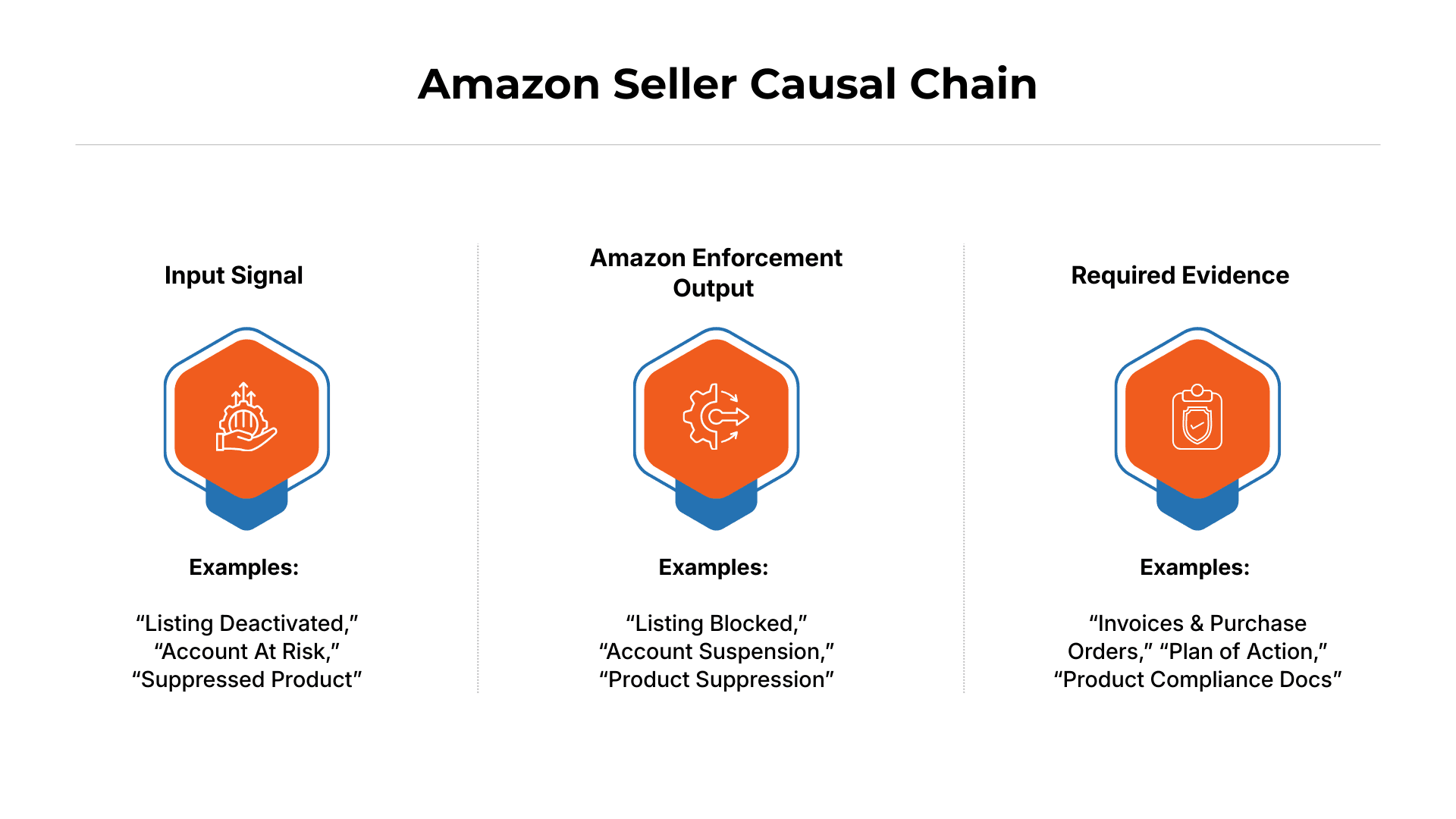
This forces clarity:
Input Signal: what changed (complaints spike, content edit, doc expiration, pricing event)
Enforcement Output: what Amazon did (ASIN deactivated, suppressed, account restricted, funds held)
Required Evidence: what proof standard applies (invoices, authorization, COA/CPC, images, process controls)
Maya stopped guessing once her team worked this chain on paper. Once her team wrote that down, every next step became defensible—and the noise (templates, random edits, rushed appeals) disappeared.
Enforcement Classification Decision Tree
Before you decide what to write—or which button to click—you must classify the enforcement event.
Amazon does not treat every “deactivated” state the same, and applying the wrong workflow almost guarantees delays or denial loops.
Think of this as routing, not reacting.
Step 1: Route by notification type
Start with where the signal appears. Each surface maps to different internal teams and rules.
Performance Notification
Formal enforcement notice tied to a policy violation (often appeal-gated).Account Health alert
Risk indicators, metrics, or warnings—not always active enforcement.Listing status change
ASIN shows Deactivated, Blocked, or Suppressed without an account-level warning.Verification prompt
Identity, business, or compliance verification—process-driven, not behavioral.
If you misread the surface, you’ll write the wrong response—even if your documents are correct.
Step 2: Route by constraint type
Next, identify why Amazon restricted the asset. Each constraint expects different proof.
Policy – safety, restricted products, condition guidelines
Product compliance – certifications, test reports, labeling
IP – trademark, copyright, brand misuse claims
Pricing – high pricing, reference price violations
Condition – used sold as new, damaged, mismatched listings
Identity – business info, UBO, bank, address, tax verification
This step determines whether you submit an appeal, documentation pack, or verification response—they are not interchangeable.
Step 3: Define the scope of impact
Finally, confirm how far the enforcement reaches.
Single ASIN – isolated listing-level action
Multiple ASINs – pattern-based or catalog-linked enforcement
Full account – selling privileges restricted or at risk
Never assume scope based on fear. Scope determines escalation paths and evidence breadth.
Putting it together: Maya’s classification (completed)
Maya’s team paused before responding and ran the decision tree:
Notification type: Listing status change (not Account Health)
Constraint: Likely compliance / customer claims surface
Scope: Single ASIN only
Conclusion: This was an ASIN-level enforcement, not an account suspension or performance issue.
No Plan of Action. No metric defense. No identity documents.
They focused exclusively on:
Product compliance alignment
ASIN-specific evidence
One clean case routed to the correct workflow
That classification alone prevented weeks of wasted back-and-forth.
Evidence Pack Checklist (Before Any Submission)
Before you submit anything, build an evidence pack that matches the enforcement surface and policy family. Think of this as your “case file”—it keeps you from sending irrelevant documents, contradicting yourself across submissions, or getting trapped in the insufficient information loop because Amazon can’t verify what you’re claiming.
Stop. Capture These 6 Items First:
1) The Exact Enforcement Notice (verbatim)
Screenshot (full screen) of the Performance Notification / Account Health notice / Listing status message / Verification prompt
Include date/time visible (or capture system clock)
2) IDs that Anchor the Case
Case ID(s) (if you already opened one)
Performance Notification ID (if present)
Any appeal submission reference (if you already submitted)
3) Scope List (what is impacted)
ASIN(s) impacted (copy/paste list)
Marketplace(s) impacted (US, CA, UK, etc.)
Whether it’s single ASIN / multiple ASIN / full account / funds hold / verification
4) Status Proof (screenshots that prove current state)
Screenshot of listing status (Deactivated/Blocked/Suppressed/Active-but-not-buyable)
Screenshot of Account Health banner/status (even if “healthy”)
If relevant: screenshot of disbursement hold / verification task page
5) Timestamped Timeline (the “what changed” log)
A short, factual sequence with timestamps:
When you first noticed the issue
What changed in the prior 7–14 days (content edit, pricing event, supplier/invoice change, packaging change, complaint spike, bulk upload, variation edits)
Who made the change (name/role) if known
6) “Before-State” Snapshot (what Amazon evaluated)
At least one of:
Screenshot/export of the listing content as it existed at the time (title, bullets, images, A+ if relevant)
If you can’t get the exact prior state: capture the current state immediately before you edit anything
Map Each Allegation to the Proof Amazon Will Accept
Once you’ve collected the minimum case file and your category documents, the next step is what separates fast recoveries from endless loops: you must translate Amazon’s allegation into a single, testable proof path. If you respond with a broad story (“we take compliance seriously”), you’ll usually get denied because Amazon can’t verify which failure you’re addressing.
|
Treat every allegation like its own mini-case:
Symptom: what Amazon showed you (deactivated, suppressed, blocked, funds held)
Cause: what actually triggered it (content claim, supplier gap, complaint spike, pricing event, doc expiration)
Policy: the policy family Amazon is enforcing (compliance, authenticity, IP, pricing, identity, performance)
Evidence: the exact artifacts that satisfy the proof standard (invoices, COA/CPC, authorization, images, change logs, SOP controls)
Rule: One allegation = one mapping.
>No bundling. No emotional narrative. No “we promise” language without artifacts.
For Maya, this was the turning point. Her team built a one-page map that tied each allegation to (1) the evidence Amazon would accept and (2) a prevention control that reduced recurrence risk. That’s when the case stopped being “an appeal” and started becoming something Amazon could validate.
Want the system to do this automatically? ave7LIFT® monitors 35+ Presence signals and turns vague notices into a classified enforcement type + proof checklist, so you don’t guess what Amazon wants. Join the beta waitlist to get monitoring + diagnosis before your next deactivation costs you rank.

Amazon Listing Deactivation / ASIN Block / Suppression Diagnostic & Prevention Framework
Maya’s turning point was switching from firefighting to a framework her team could run under stress. Amazon isn’t evaluating effort. It’s evaluating alignment:
What policy family is this?
What proof standard applies?
What corrective actions remove the failure mechanism?
What prevention controls reduce recurrence?
The mistake most Amazon sellers make is trying to answer those questions after they’ve already started “fixing things.” Maya’s team flipped the order. They treated alignment as a sequence—not a checklist—and ran it in three moves: monitor the signals, translate them into a policy hypothesis, then map the root cause before taking action. That sequence starts with what most sellers skip:
Step 1: Continuous Signal Monitoring
Don’t wait for it to collapse. Signals that matter for Presence risk include:
account actions + verification prompts
ASIN status changes and compliance flags
inventory anomalies (stranded spikes, inbound holds)
silent failures (search suppression, buy box volatility)
Maya’s hindsight: the deactivation wasn’t the first signal. Her hero ASIN had a weird impression decay the week prior that got dismissed.
Step 2: Policy-Level Violation Detection
Build a short “policy hypothesis list” before action:
restricted products / compliance
claims (especially in supplements/beauty/kids)
authenticity / condition
IP complaints
performance enforcement
identity/verification prompts
The goal isn’t perfect guessing—it’s avoiding “wrong proof standard” submissions.
Step 3: Root-Cause Mapping
Root cause is usually one of:
listing content/claims
supplier chain weaknesses
prep/pack labeling mismatch
customer experience complaint spikes
ops metrics drift
Separate trigger from root cause.
For Maya, the root cause traced back to a packaging refresh: a claim line changed on the label, but the listing content didn’t update in a controlled way. That mismatch creates credibility gaps.
Step 4: Guided DIY Resolution
DIY is safe when you stay inside controlled moves:
organize artifacts
build evidence pack
map symptom→cause→policy→evidence
submit the right workflow once, cleanly
High-risk:
template POAs
massive edits before screenshots
multiple parallel cases
Maya resisted the urge to “clean the listing” immediately. She captured before-states, validated packaging alignment, then made controlled edits.
Step 5: Expert Escalation (If Required)
Escalate when:
revenue at risk is compounding
repeated denials occur
the policy family is complex
multiple signals collide
the timeline is messy
Escalation inputs should be mandatory:
evidence pack
mapping doc
timeline
case history
System (Operating Model) vs Service (Agency)
At this point in the process, most Amazon sellers make a second mistake right after the first: they buy the wrong kind of help under stress. Not because they’re careless—because “deactivated” collapses everything into urgency, and urgency collapses decision-making.
But the framework you just ran (monitor → classify → map) exposes a key truth: recovery isn’t just a task. It’s a system problem. If you don’t have instrumentation, you’ll always start late. If you don’t have classification and evidence mapping, you’ll submit the wrong thing. And if you don’t have prevention controls, you’ll win once—then repeat the same failure six weeks later.
That’s why it helps to separate two categories sellers often blur together:
ave7LIFT® = System (Monitoring + Diagnosis + Operating Model)
ave7LIFT® isn’t another alert tool. It’s your Presence safety net.
When Amazon’s bots flip a switch, you don’t have time to “investigate.” You need a repeatable, defensible response—even at 3 AM.
Monitors 35+ Presence signals (account + catalog) so you catch silent revenue loss early
Diagnoses the real root cause (not vague “Amazon legal”) so you don’t chase the wrong fix
Tells you what proof Amazon will accept so submissions match the standard the first time
Keeps you evidence-ready with prevention SOPs before the next hit
And if it’s beyond your team’s bandwidth: Click to Fix → Avenue7Media experts take over
Less guesswork. Less panic tax. More time with your business open.
Avenue7Media = Surgeons (Human Restoration / Execution)
When the case is complex—multi-signal failures, repeated denials, high-stakes revenue loss—Avenue7Media steps in as the surgical team to execute restorations that require precision and experience. This works best when ave7LIFT® has already captured the artifacts, timeline, enforcement type mapping, and root-cause chain, so the surgeons can operate immediately instead of doing forensics.
If this is beyond your team’s bandwidth, hand it to ave7LIFT®. We’ll run forensics on the notice + timeline, align the proof to the policy family, and submit a single clean restoration path—no templates, no contradictions.
Prevention vs Recovery
When Amazon sellers read a deactivation guide, they’re usually in one of two states: panic (“this is happening right now”) or paranoia (“I can’t let this happen again”). The good news is the operating model doesn’t change—only the timing does.
If you’re trying to prevent the next enforcement event, your job is to watch the early signals that show up days or weeks before Amazon flips the switch.
If this happens BEFORE a Listing Deactivation / ASIN Block / Account Restriction:
Early signals by enforcement type:
metrics drift
document expiration
risky content/packaging changes
complaint pattern changes
Presence anomalies (suppression, buy box volatility, stranded growth)
SOPs that prevent recurrence:
change-control SOP
evidence maintenance SOP
compliance refresh SOP (category dependent)
Always maintain:
supplier chain artifacts
packaging/label archives
test reports/certs
change logs + approvals
Maya’s preventable moment: packaging changed without a controlled checklist or archive.
If This Has ALREADY Happened
Do this today:
stabilize + freeze risky changes
classify enforcement type + scope
gather artifacts + build evidence pack
map symptom→cause→policy→evidence
submit once, cleanly, aligned
Gather before submitting:
exact notice + scope
IDs and screenshots
all required docs aligned to policy family
a clean timeline of changes
Corrective actions must match the real mechanism—not the emotion of the moment.

Risks, Mistakes, and Policy Issues Amazon Sellers Should Watch
Amazon sellers don’t need another generic “tips” section—they need a risk radar. This section isn’t here to scare you; it’s here to help you spot the specific mistakes and policy-friction points that quietly turn a manageable issue into a denial loop or a repeat enforcement.
Think of it as the monitoring layer that sits on top of the framework: what to watch, what to avoid, and which policy families tend to punish sloppy timelines, mismatched evidence, or uncontrolled catalog changes.
High-impact mistakes include:
appealing before classification
editing before capturing evidence
mixing multiple issues in one case
uploading irrelevant docs
contradicting across cases or team members
Policy-family traps are the common “gotchas” inside specific Amazon policy categories (compliance, authenticity, IP, pricing, identity, performance) where Amazon sellers get denied—not because they’re lying, but because their evidence, wording, or fixes don’t match the exact policy logic and proof standard Amazon is enforcing.
Policy-family traps include:
implied claims interpreted as regulated claims
documents that are real but not verifiable in Amazon’s standards
packaging/listing mismatches
silent suppression treated as “not urgent”
Is fulfillment by Amazon still worth it in 2026?
FBA can still be “worth it” in 2026 for many Amazon sellers—but in the context of enforcement and account health, it acts like a Presence-risk amplifier. When something goes wrong, FBA doesn’t just reduce sales; it can accelerate damage because the system keeps moving (inbound shipments, storage fees, restock cycles) while your ability to sell is constrained or silently degraded.
The three compounding mechanisms are predictable: stranded inventory scales faster (so cash gets trapped inside Amazon’s network), offer eligibility can flip quickly (sudden loss of buy box/Add to Cart turns an “active” listing into a non-buyable listing), and silent failures persist while fees continue (you can be suppressed or non-indexed without a clean “suspension” banner, and you still pay for storage and operational drag).
That’s why serious operators treat FBA success as inseparable from instrumentation: if you can’t detect presence loss early, FBA magnifies the cost of every hour you spend guessing.
Need execution, not advice? ave7LIFT® can take over once your case file is complete.
Comparison: Alert-Only Tools vs Agencies vs a Diagnostic Operating System
When Amazon enforcement hits, how you’re set up before the alert matters more than how fast you react after it. Most Amazon sellers fall into one of three response models. Only one is designed to reduce panic and prevent repeat shutdowns.
Alert-Only Tools
What they do well
Alert-only tools are built for speed. They surface changes fast—listing status flips, Buy Box loss, or account health warnings—often before a human notices.
Where they break down
They stop at detection. There’s little to no classification, no root-cause hypothesis, and no guidance on what proof Amazon will accept.
The real risk
Alerts without resolution logic create urgency without direction. Amazon sellers feel pressure to “do something,” which often leads to rushed edits, wrong appeals, and denial loops.
Net effect: Fast awareness, high anxiety, unclear next steps. |
Agencies / Consultants
What they do well
Agencies bring experience. They’ve seen similar cases, know Amazon workflows, and can execute appeals or restorations under pressure.
Where they break down
Engagement is usually reactive and episodic. Agencies often enter after revenue damage has compounded, and they must spend time reconstructing timelines, artifacts, and prior mistakes.
The real risk
If inputs are messy—multiple cases, conflicting edits, missing screenshots—execution slows. In some cases, consultants fall back on templates because the diagnostic groundwork wasn’t done early.
Net effect: Strong execution, but often late and dependent on clean inputs. |
Diagnostic Operating System + Surgeon Escalation (ave7LIFT®-style)
What it does well
A diagnostic operating system treats enforcement as a repeatable process, not a one-off emergency. It monitors presence signals, classifies enforcement type, maps root cause to policy, and defines the exact proof standard before any submission.
Why escalation works here
Experts (“surgeons”) are only brought in when required—after evidence, timelines, and mappings are already clean. That means execution starts immediately, not with forensics.
The outcome: Faster recoveries, fewer denial loops, and—most importantly—lower recurrence risk because prevention controls are built into daily operations.
Net effect: Stability under stress, reduced panic tax, and durable control. |
Core Principle
Alert without solution → anxiety.
Solution without diagnosis → failure.
Operating system → stability.
Amazon doesn’t reward urgency. It rewards alignment. Amazon Sellers who operate with diagnostics, evidence discipline, and controlled escalation don’t just recover faster—they stop paying the panic tax altogether.
How Amazon Sellers Get Help and Support When Issues Arise
Once you’ve classified the enforcement and built a clean evidence pack, how you engage Seller Support on Amazon becomes a strategy—not a scramble. Amazon doesn’t reward opening multiple cases, rephrasing the same story, or escalating emotionally.
It punishes inconsistency. One issue should produce one clean case narrative, backed by aligned attachments and a controlled timeline—so every response you send reinforces the same proof path instead of creating contradictions that trigger delay or denial loops.
How do you contact Seller Support effectively?
Most sellers don’t lose time because Seller Support is “slow.” They lose time because their case hygiene creates confusion, contradictions, and auto-closures inside Amazon’s internal systems.
Here’s how to contact Seller Support in a way that actually moves a case forward.
Case hygiene: what “clean” looks like in practice
1. One issue = one case (always)
Never bundle multiple problems into a single case, even if they feel related.
Each case is routed, tagged, and evaluated separately inside Seller Central. Mixing issues forces the agent to choose one—and ignore or misclassify the rest.
Example:
❌ “My listing is deactivated and my account health dropped”
✅ Case 1: ASIN deactivation reason + evidence
✅ Case 2: Account Health metric impact (if needed)
2. Clean attachments with clear, scannable filenames
Agents do not “explore” attachments. They scan filenames first.
Use filenames that answer why the file exists:
Invoice_ABC_Supplier_Jan2025.pdfGS1_Certificate_BrandName.pdfProduct_Label_Photo_ASINB0XXXX.jpg
Avoid:
invoice.pdfscan1.jpgZIP files unless explicitly requested
3. Lead with mapping + evidence pack (not storytelling)
Seller Support is not evaluating intent or effort—they are checking policy alignment.
Open your message with a short mapping block:
Issue: ASIN B0XXXX deactivated for “Product Authenticity”
Policy reference: Product Authenticity policy
Evidence attached:
Invoice (dated within 365 days)
Brand authorization letter
Product + packaging images
Then stop.
No backstory, no apologies, no “we are a small business.”
4. Track responses, deadlines, and next actions
Every Seller Support response creates a clock, even if they don’t say so.
Your internal tracker should note:
Case ID
Last response date
What Amazon asked for (exact wording)
What you submitted
When to follow up (typically 48–72 hours)
Random follow-ups without new evidence reset nothing.
Maya’s team consolidated everything under one owner and stopped parallel case openings. That alone reduced contradictions.
Nothing else changed. No new documents. No stronger appeal language.
Just disciplined case hygiene.
Optional Escalation Path (DIY → System → Expert)
When sellers are in panic mode, they tend to skip straight to the “biggest” solution—an agency, an escalation, or multiple support cases—before they’ve even stabilized the situation. That usually increases risk, because it creates conflicting narratives, incomplete submissions, and wasted cycles.
This escalation path is designed to protect you from that: start with DIY when it’s safe, adopt a diagnostic system to prevent repeat incidents, and only bring in experts when the evidence is complete and the stakes truly justify surgery.
DIY-First
Before you bring in outside help, earn clarity the disciplined way. DIY-first doesn’t mean “do everything yourself no matter what”—it means you run the highest-leverage, lowest-risk steps that prevent denial loops and keep your case clean.
Run steps 1–4 before escalation:
stabilize
classify
evidence pack
mapping + aligned submission
DIY stop conditions
DIY stop conditions are the clear “stop signs” that tell an Amazon seller to pause DIY attempts and escalate (to a diagnostic system or an expert) because continuing to self-handle is likely to waste time, increase contradictions, or trigger denial loops.
Think of them as your risk gate: “DIY is no longer the safest or fastest path.”
Common DIY stop conditions (what they mean in practice)
Time threshold (e.g., 72 hours with meaningful revenue at risk):
You’ve followed the protocol (stabilize → classify → evidence pack → submit cleanly), but you’re still bleeding revenue or stuck without movement. Past this point, the cost of waiting/guessing exceeds the cost of escalation.Repeated denials:
You’ve been rejected 1–2+ times despite aligned evidence. That usually means you’re on the wrong enforcement surface, missing a proof-standard artifact, or Amazon’s interpretation is stricter than the standard DIY playbook.Complex policy family:
Anything involving authenticity, restricted products/compliance, supplements claims, IP, or identity verification often has tight proof standards and high consequences for wrong wording or mismatched docs.Multi-signal failure:
It’s not just “deactivated.” It’s also suppression + stranded inventory + buy box loss + verification prompt. When multiple surfaces break, DIY attempts often create conflicting actions unless tightly controlled.Unclear root cause after evidence review:
You can’t confidently map Symptom → Cause → Policy → Evidence. If you don’t know what Amazon is enforcing, any submission risks locking you into the wrong narrative.
Stop DIY if you hit repeated denials, authenticity/compliance/identity flags, or multi-signal failures. That’s when ave7LIFT® steps in as the surgeon—but only with a clean case file, so the response is fast, consistent, and proof-aligned.
System Adoption Second: ave7LIFT®
Use a diagnostic OS when you want:
continuous monitoring (including silent failures)
earlier detection of leading indicators
classification + mapping support
SOP enforcement for ongoing evidence readiness
Fix-It-For-Me Third: Avenue7Media
This is the last-resort lane—for situations where time, complexity, or repeated denials make DIY irrational. Avenue7Media is built for high-stakes restorations where precision matters: multi-signal failures (suppression + buy box loss + stranded + verification prompts), complex policy families (compliance/authenticity/IP), or cases where one wrong sentence can lock you into another denial loop.
To move fast, escalation requires a complete case-ready intake, not a vague “please fix it” request:
Full evidence pack (notices, IDs, screenshots, category docs)
Symptom → Cause → Policy → Evidence mapping (so the narrative aligns to Amazon’s proof standard)
Timestamped timeline (what changed, when, by whom)
Case history (every prior submission + Amazon’s responses)
That’s how a surgeon operates immediately—without spending the first days doing forensics—and why this lane is “fix it for me” only after the system and DIY steps have eliminated guesswork.

Conclusion
Maya didn’t win by writing a better apology—she won by operating like a serious seller. Recovery is a moment; presence protection is a system. When enforcement hits, your first responsibility isn’t to appeal, it’s to diagnose. And long before any warning appears, your real job isn’t to “avoid problems,” but to run instrumentation that detects risk early, preserves evidence, and ensures every submission to Amazon is grounded in proof, not panic.
If there’s one takeaway to remember, it’s this: diagnosis precedes action, and prevention is instrumentation. Sellers who internalize this stop reacting emotionally and start responding structurally. They understand that enforcement isn’t random—it’s observable, traceable, and often predictable if you’re paying attention.
That mindset is how you stop paying the panic tax. Instead of scrambling when something breaks, you already know where to look, what to pull, and how to respond. In an ecosystem where one wrong move can cost weeks—or an entire account—discipline, diagnostics, and systems thinking aren’t optional. They’re the difference between surviving Amazon and controlling it.
Summary
When an Amazon listing or seller account is suddenly flagged, suppressed, or at risk, the instinct is to fix something—anything—as fast as possible. This blog explains why that reaction often causes more harm than the original issue. Acting without clarity can trigger additional violations, weaken appeal credibility, and lock sellers into longer recovery timelines. The first and most important move is not action, but control.
By shifting into a 60–120 second triage mindset, Amazon sellers create a deliberate pause that stops damage from compounding. This short diagnostic window allows you to identify whether the issue is listing-level or account-level, policy-based or performance-based, and automated or manual. Instead of guessing, Amazon sellers can evaluate risk, preserve account health, and choose a response that aligns with Amazon’s enforcement logic.
Ultimately, the blog reinforces a simple but powerful idea: the fastest recoveries on Amazon come from slowing down first. Structured triage replaces panic with precision, random fixes with strategic decisions, and wasted appeals with targeted responses. In an ecosystem where mistakes are often irreversible, disciplined diagnosis is not optional—it’s survival.
Where ave7LIFT® fits: It’s the operating layer that makes triage repeatable under stress—monitoring Presence signals, classifying the enforcement surface, and keeping your evidence pack clean before you touch the catalog. And when the case crosses into “surgery” (multi-signal failures, repeated denials, complex policy families), Avenue7Media can step in with execution—but only after the case file is disciplined enough to move fast.
Frequently Asked Questions
More Insights from us